Batch generation
Apply one prompt to multiple images in independent tasks.
Use Per image for consistent edits across multiple images, including background replacement, cutouts and style changes.
Execution model
Without prompt slots, N input images create N independent tasks, each requesting one output image. Enter the prompt once; each task reuses it with the selected model and settings.
Each task receives only its current input image, with no other references or task results. Tasks may run concurrently or queue; completion order can vary.
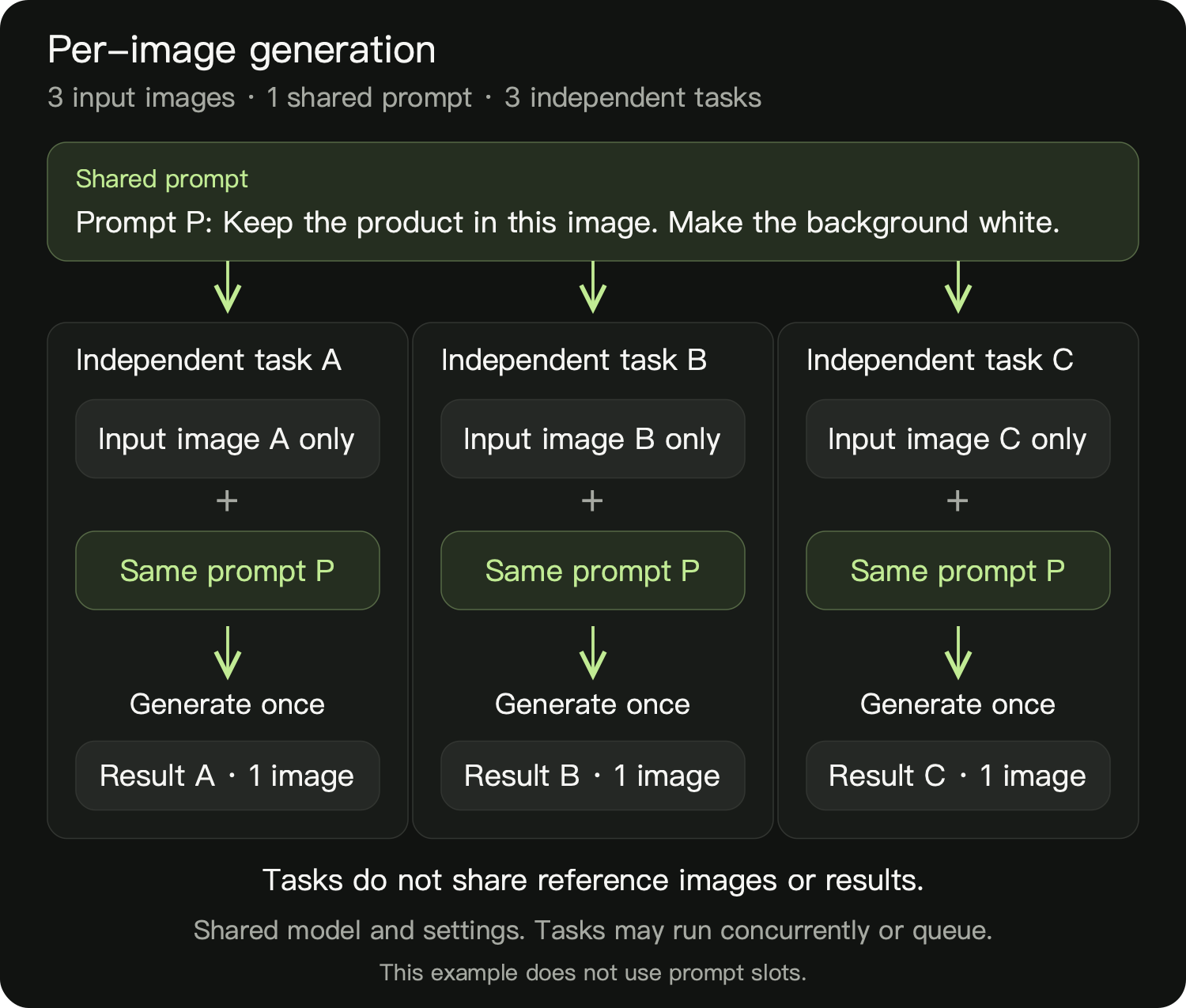
Mode selection
| Comparison | Per image | Combine |
|---|---|---|
| Reference scope | Current image only | All selected images together |
| 3 references, Count set to 1 | 3 tasks, one output each | One output using all 3 references |
| Use cases | Individual cutouts, background replacement | Product-scene composition, cross-image style references |
Setup
- Select Quick generate → Image and a model that supports references.
- Use the plus button to add at least 2 images. Folder import, asset selection, drag and paste are also supported.
- Expand the references and select Per image. Enter the prompt and configure the aspect ratio and other settings.
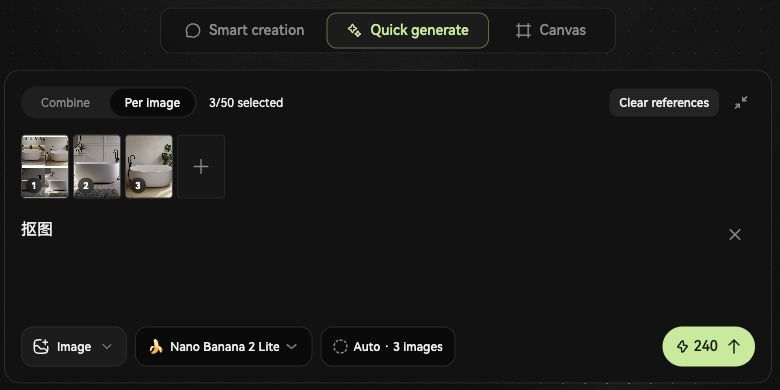
Submission checks
- Output count: check the settings chip at the bottom, showing 3 images here.
- Total cost: check the credits on the send button, showing 240 for the entire batch here. Confirm both before sending.

Results
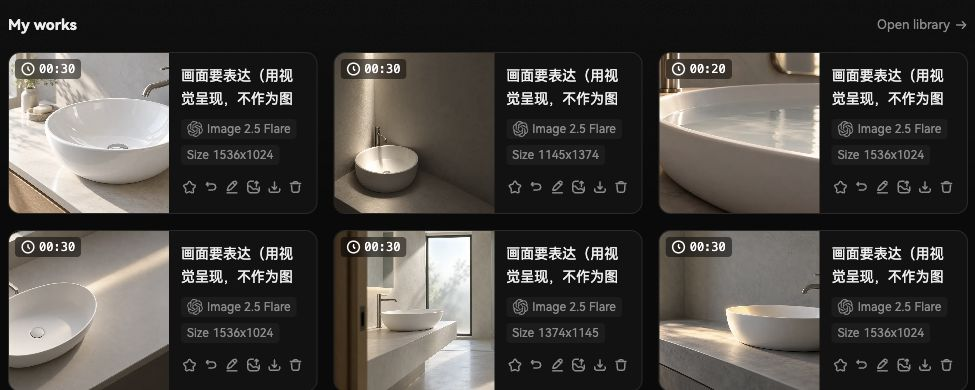
Review batch progress and results in My works below the composer.
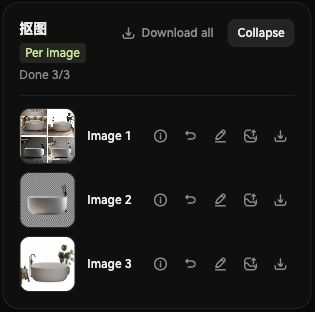
- Progress: Done 3/3 indicates completion. Select Expand to display individual results.
- Details: click a thumbnail to enlarge it, or the details icon to inspect that task’s prompt, reference and settings.
- Download: select Download all for the batch, or use an individual row’s download button.
Prompt guidelines
Describe the edit for “the current image”. Avoid references to other images or previous results.
Preserve the shape, colors, materials and markings of the product in the current image. Replace the background with pure white. Center the complete product and add a natural contact shadow. Do not add text or other objects.
Limits and retries
- Task count: input images × prompt combinations. The ordinary Count setting does not multiply this total. With slots, 3 images × 2 backgrounds create 6 tasks.
- Limits: up to 50 output images per batch; each reference must be no larger than 50 MB.
- Cost: for the same model and settings, batch estimate = per-image estimate × total output count.
- Retries: review the failure reason and retry the affected task. Completed results are retained.